

Almost 14 years ago I bought a Kinect v1, and later a Kinect v2, for my research rather than for gaming. I wanted to build a robot.
Over the years I tried things like face detection and face recognition with it, but processing was always the problem. My machines had 16 GB to 32 GB of RAM and still slowed down once image processing started. Small computers couldn't keep up with the Kinect's data, powerful ones were desktop towers, and I couldn't find a practical way to make the robot run on its own.
A Mac mini M4 finally solved the processing problem, and ROS 2 gave me the software to build on. Getting a Kinect v2 to work on an Apple Silicon Mac still took many hours of research, so I'm sharing that part of my robot project here. I hope it saves others the same effort.
Why the Kinect v2, not the v1
I had already got the Kinect v1 working with ROS 2 on Linux and wrote it up in Using a Kinect v1 with ROS 2 Humble. It worked, but the resolution held it back. A robot that needs to recognise objects and judge distances needs more detail than the v1 can give, so I switched to the v2.
| Kinect v1 | Kinect v2 | |
|---|---|---|
| Color camera | 640 × 480 | 1920 × 1080 |
| Depth sensing | Structured light, 640 × 480 | Time-of-flight, 512 × 424, sharper edges |
| Field of view | 57° × 43° | 70° × 60° |
| Connection | USB 2 | USB 3 (through the Kinect Adapter for Windows) |
| Microphones | 4-mic array | 4-mic array |
The catch: the v2 was built for Windows and the Xbox One. On a Mac there is no official driver, no package for Apple Silicon, and much of the advice online is ten years old and written for Intel Macs.
Where the hours went
None of these problems is hard once you know about it. Finding out about each one is what took the time.
- There's no package to install. The open-source driver, libfreenect2, has no Homebrew or conda package for Apple Silicon, so it has to be built from source. Its last change was in 2020, and the current CMake 4 refuses to build it until you add
-DCMAKE_POLICY_VERSION_MINIMUM=3.5. - USB 3 or nothing. On a USB 2 link the Kinect shows up but can't stream. Sometimes it shows up at USB 2 speed even on a USB 3 port. Unplugging the USB cable doesn't fix that; pulling the adapter's power plug for about ten seconds does.
- Only one program can use the cameras. If a test viewer is still open, the driver just says it can't open the device.
- Starting the cameras silences the microphones. The driver resets the Kinect's USB connection when it starts, and that also resets the microphones. The audio node now restarts itself after six seconds of silence.
- macOS needs permission to hear the mic. Until your terminal app has microphone access, macOS quietly delivers silence instead of an error.
- Newer isn't always better. A fresh install of the ROS 2 packages built a driver that crashed at startup. Pinning the exact versions that work (
pixi.lock) fixed it. - The first start looks like a hang. On a fresh install, macOS checks the signature of every new library, and the driver can sit silently for one to three minutes. After that it starts in about two seconds.
- Auto-start runs into macOS privacy rules. A background job can't read a project kept in Documents or Desktop until it's given Full Disk Access.
What the repo gives you
The Kinect's color, depth, infrared and microphone streams become standard ROS 2 topics, so any ROS 2 program can use them. Programs that produce data (publishers) and programs that use it (subscribers) run separately: start the Kinect once, then open as many viewers or your own nodes as you like. A stream is only processed while something is watching it, so an idle stream costs nothing. The diagram at the top of this post shows how the pieces fit together.
- Color, depth and infrared from the C++ driver node, plus color aligned to depth and depth aligned to color.
- A 3D point cloud you can view in RViz2.
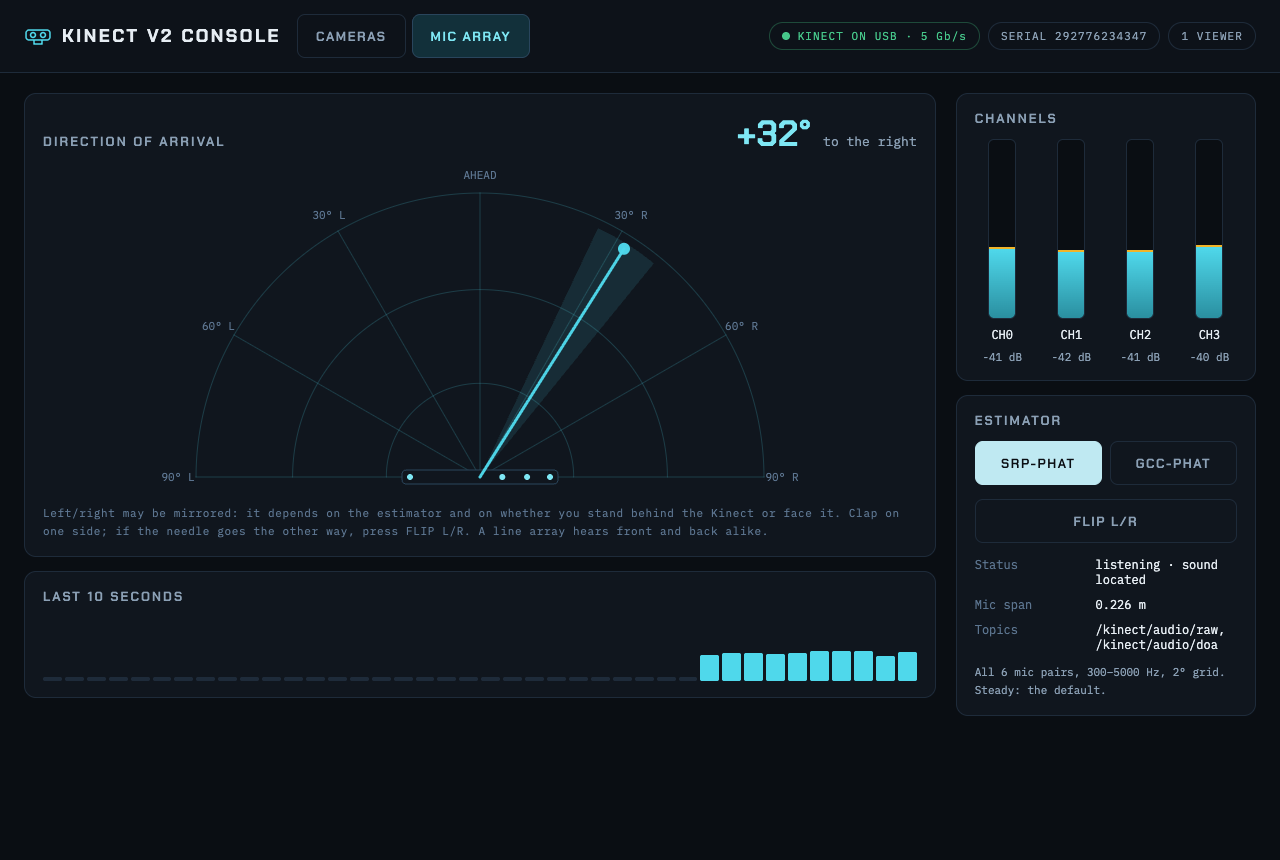
- The 4-microphone array as raw audio, plus the direction a sound is coming from.
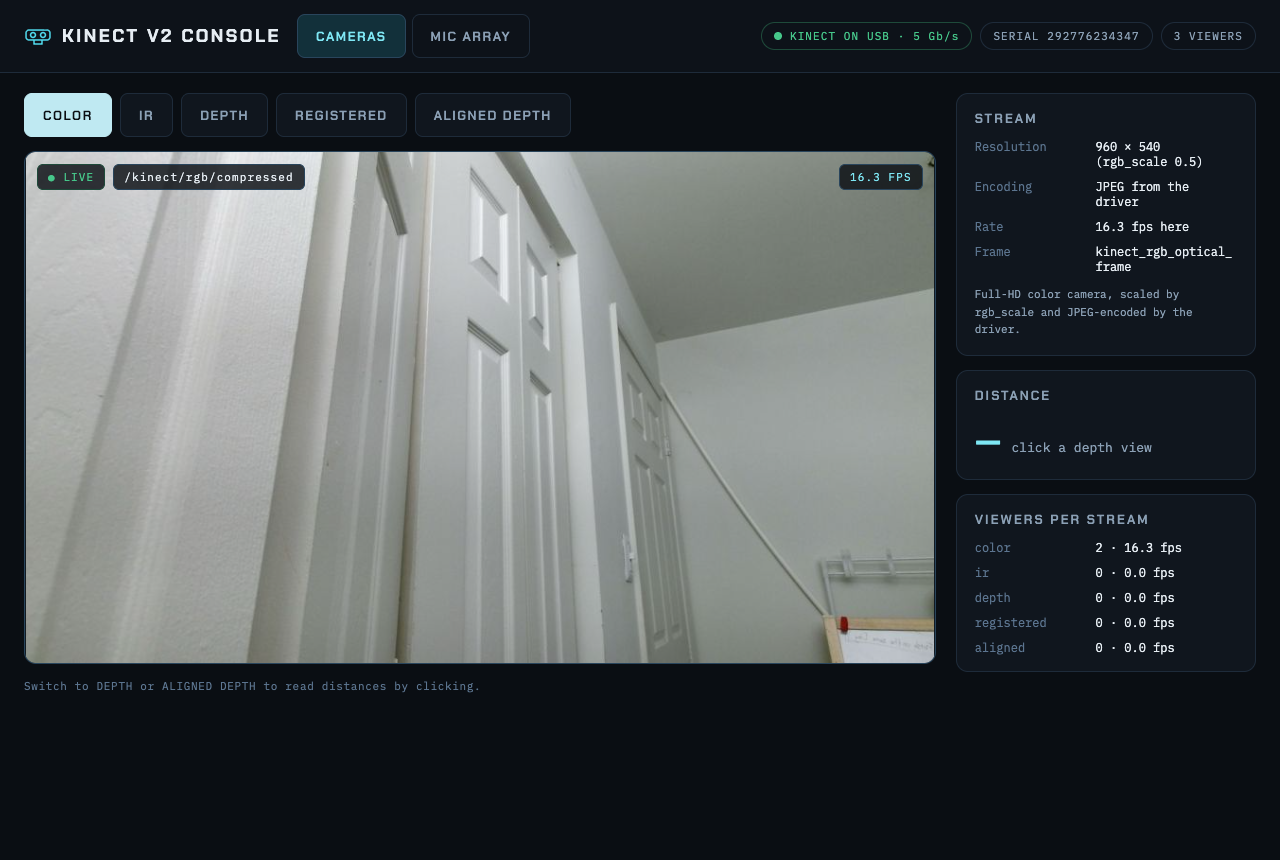
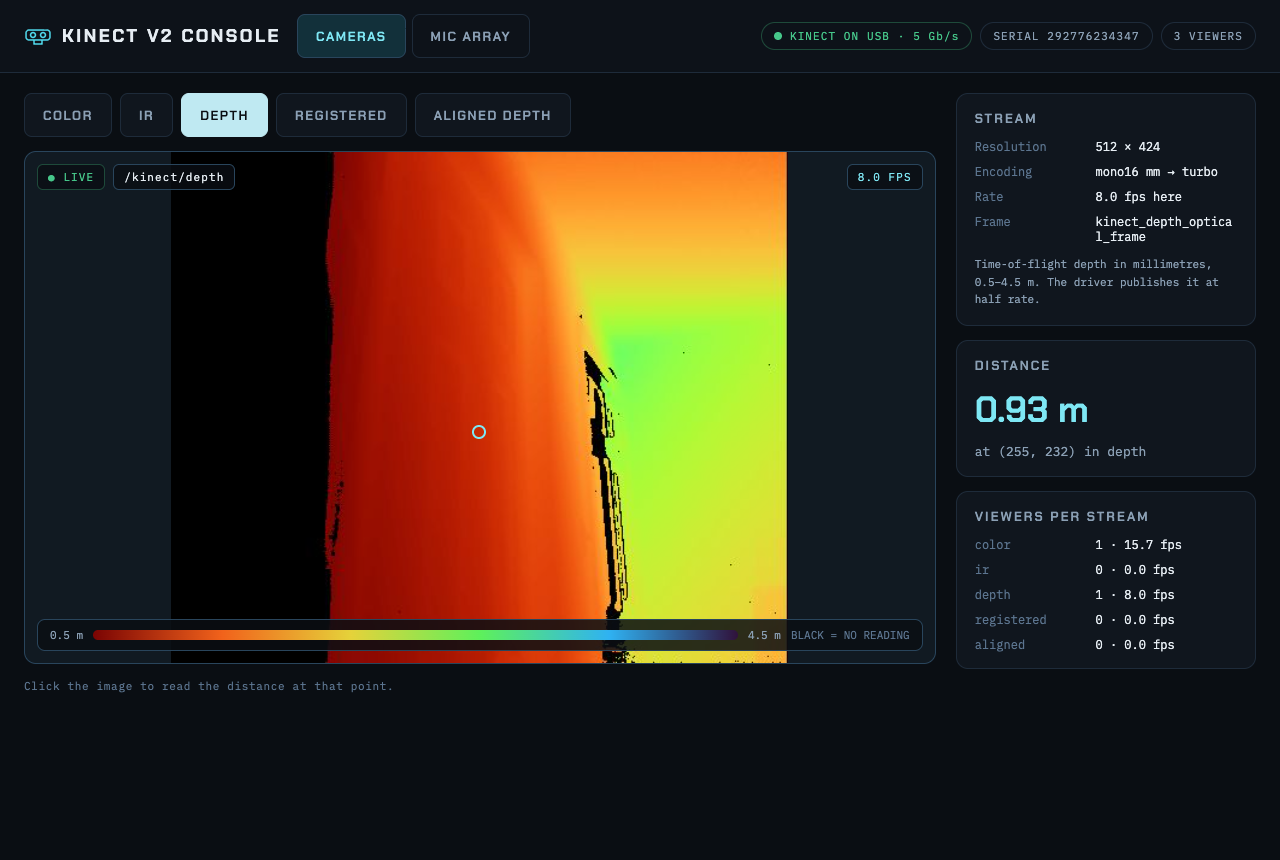
- A web console to see every camera view, click on the depth image to read distances, and watch the microphone levels and sound direction live.
- Hotplug: plug the Kinect in and everything starts; unplug it and everything stops cleanly.
- Tests: 37 unit tests that run without the hardware, and live tests that check every stream on a real Kinect.
Try it: one command
You need a Kinect v2, the Kinect Adapter for Windows, an Apple Silicon Mac on macOS 14 or later, and a USB 3 port.
git clone https://github.com/SriharshaShesham/KinectV2-Ros2-macOS.git
cd KinectV2-Ros2-macOS
./kinect.sh
The script installs only what's missing (Xcode Command Line Tools, Homebrew, libfreenect2, and ROS 2 through pixi), builds everything, checks the Kinect is on a fast enough USB port, then starts it and opens the web console. The first run takes 15 to 20 minutes; after that it starts in seconds. The README covers each step by hand, every topic and parameter, and a troubleshooting table.
If you have a Kinect gathering dust in a drawer, it might be time to plug it back in.

Comments
Post a Comment