
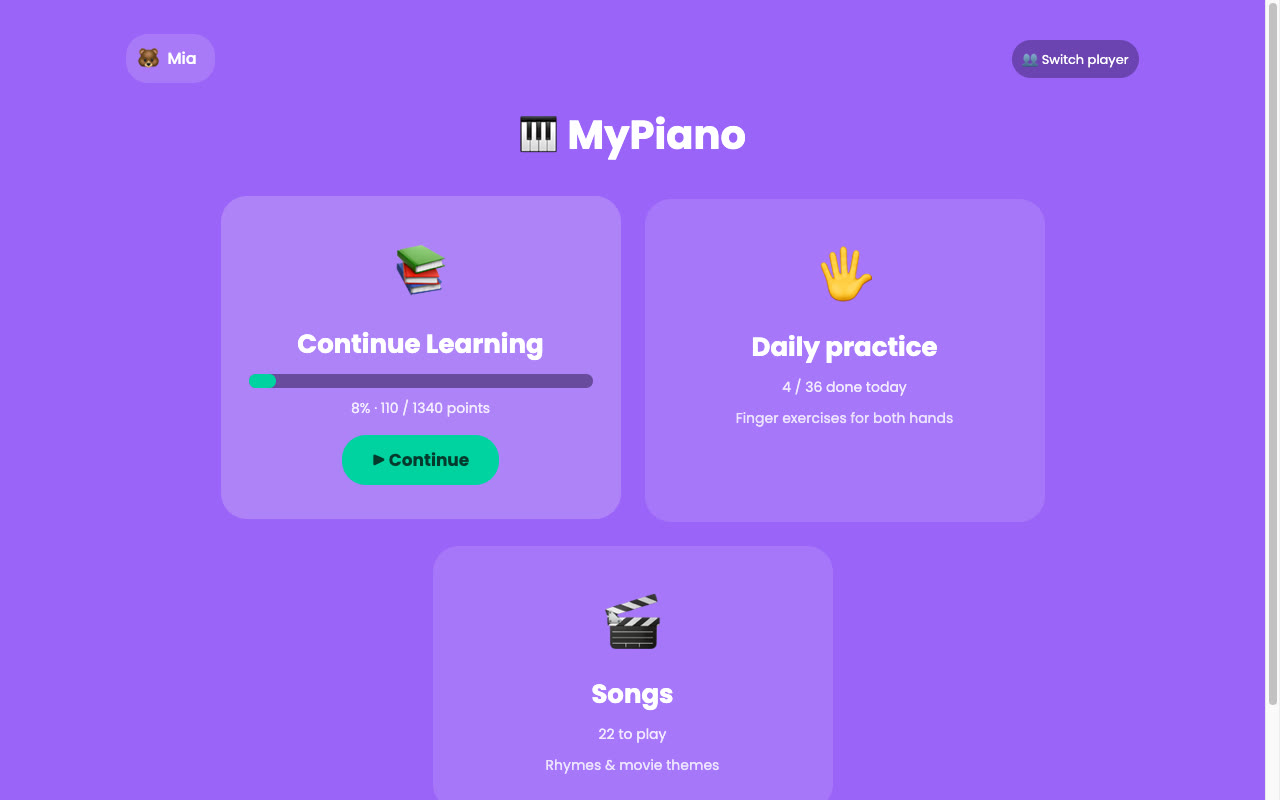
MyPiano is a piano game for kids that works with a real piano, needs no install or subscription, and celebrates progress instead of punishing mistakes. It runs in the browser and is free to use at mypiano.srichakram.in.
How it works
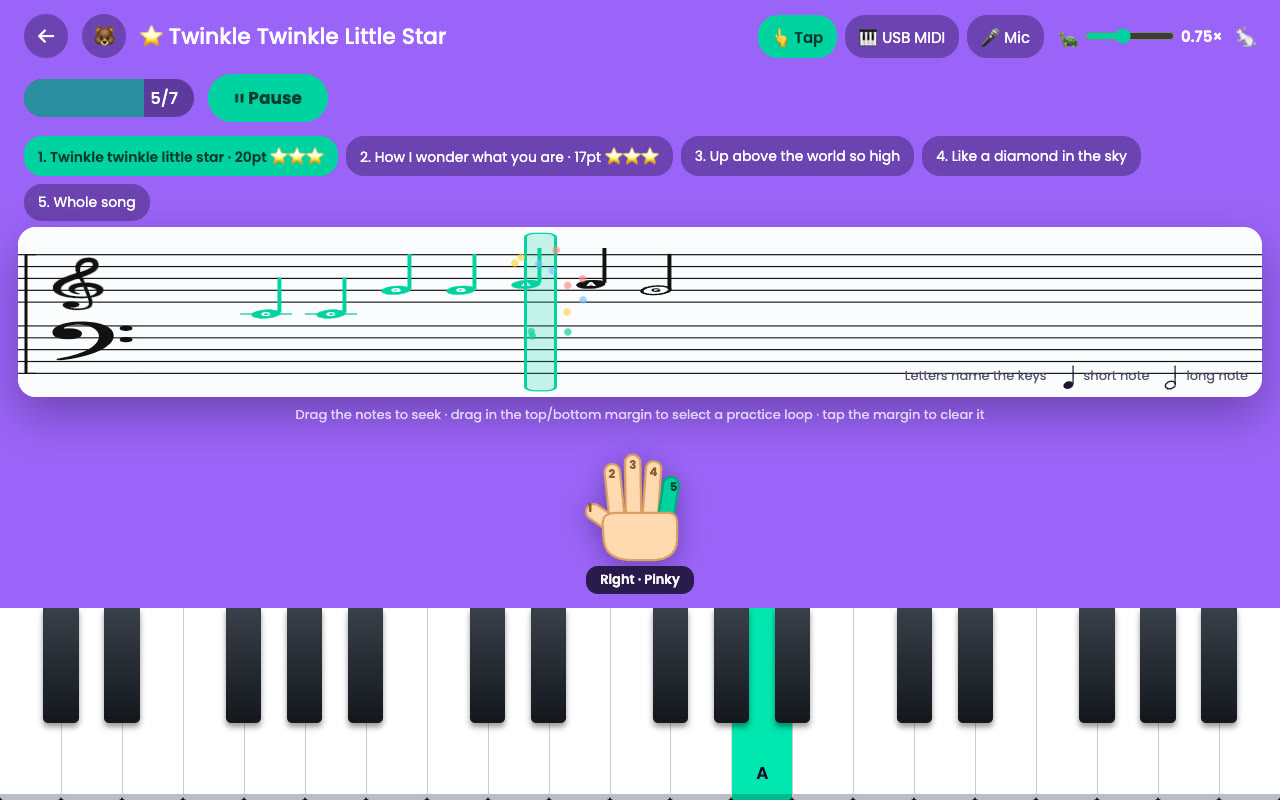
Notes scroll across a grand staff, the child plays them, and a cartoon coach cheers them on. The interesting part is the input, which you can switch at any time during a lesson:
- Microphone: listens to an acoustic piano and detects the pitch of each note. The app stays silent while listening, so it doesn't hear itself.
- USB MIDI: exact input from a MIDI keyboard, played back with a sampled grand piano.
- Tap: on-screen keys, or the computer keys
A S D F G H.
Lessons, songs and daily practice
- Lessons: a guided path from Middle C to two-hand pieces. Each song is split into short parts before it is played whole, and each part earns up to three stars.
- Songs: nursery rhymes and well-known themes, just for fun.
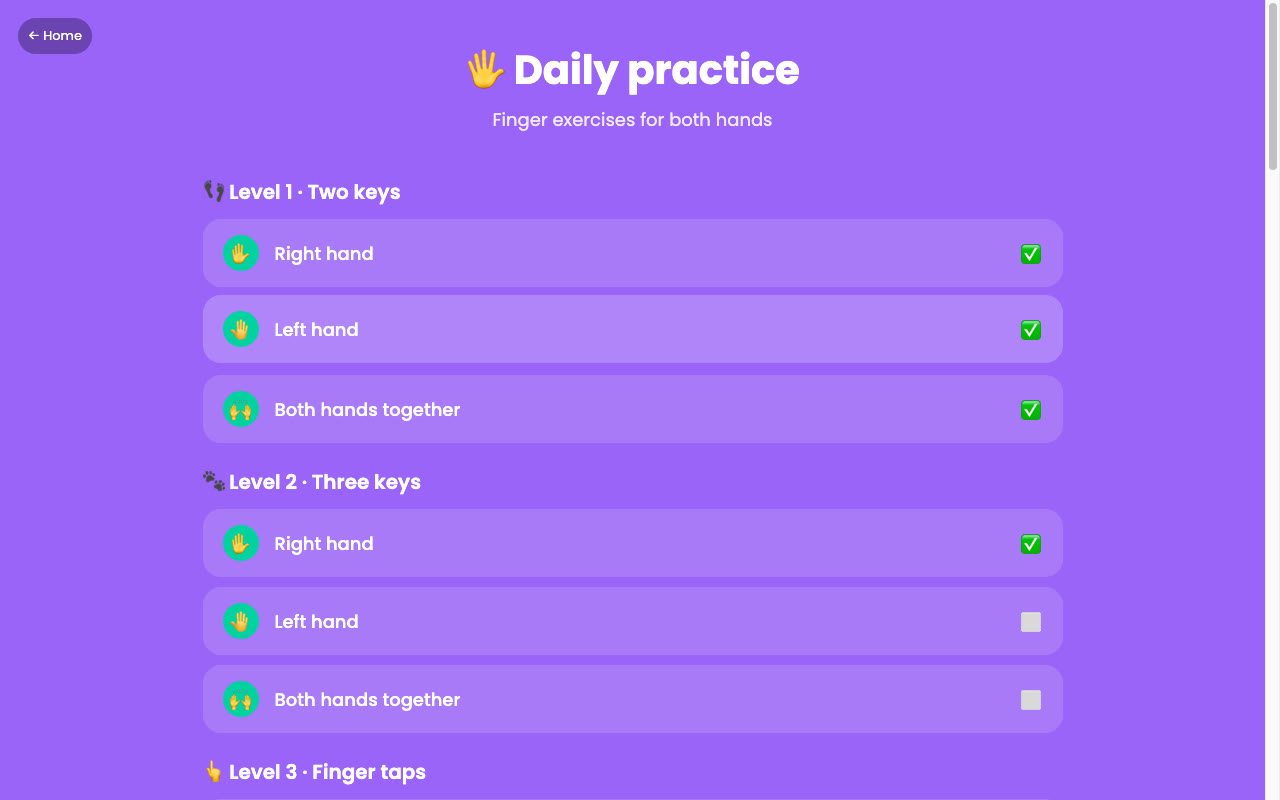
- Daily practice: 12 levels of finger exercises for the right hand, the left hand and both together. The checklist resets every day.
- Bring your own song: import any
.midfile. The highest-pitched track becomes the melody and the others play as backing.
Designed for young learners
- A coach character with short video clips, and a tutor that demonstrates each new note before the child plays it.
- A finger guide showing which hand and finger to use, and note letters that can be turned off as they improve.
- A speed slider from 0.25× to 1.5×, drag-to-seek on the staff, and practice loops.
- Forgiving scoring with a wide timing window: hits are celebrated and misses aren't punished.
- Several local player profiles, each with its own progress, plus optional Google sign-in that syncs a profile to the account's private Drive app-data folder.
Try it
Open mypiano.srichakram.in. Use Chrome or Edge for USB-MIDI keyboards; microphone mode works in any modern browser once you allow mic access.
Run or host your own copy
MyPiano needs Node 20 or later:
git clone https://github.com/SriharshaShesham/My-Piano.git
cd My-Piano
npm install
npm run dev   # http://localhost:5173
The app builds with relative paths, so you can fork it and host your own copy on GitHub Pages for free. The README has step-by-step instructions, including custom domains and Google sign-in.

Comments
Post a Comment